Lose weight without turning eating into a second job.
Losing weight means eating a little less than you use, for long enough that it adds up. Fotocal does not do that part for you. What it does is make the tracking almost effortless — you take a photo, it does the maths — so the habit is one you can actually keep up.
Four steps, and none of them dramatic.
No crash diets, no banned foods. A loop that fits around a normal life, because one you abandon in week two is worth nothing.
-
Set the goal, then the pace
Tell Fotocal your age, height, weight, activity and goal, and it shows you where you are starting and where you are heading. Then you choose the pace: a quarter, a half or three quarters of a kilogram a week, or a figure you type yourself. It works the daily calorie and macro target back from that, and will not go below its own floor however fast you ask to go.
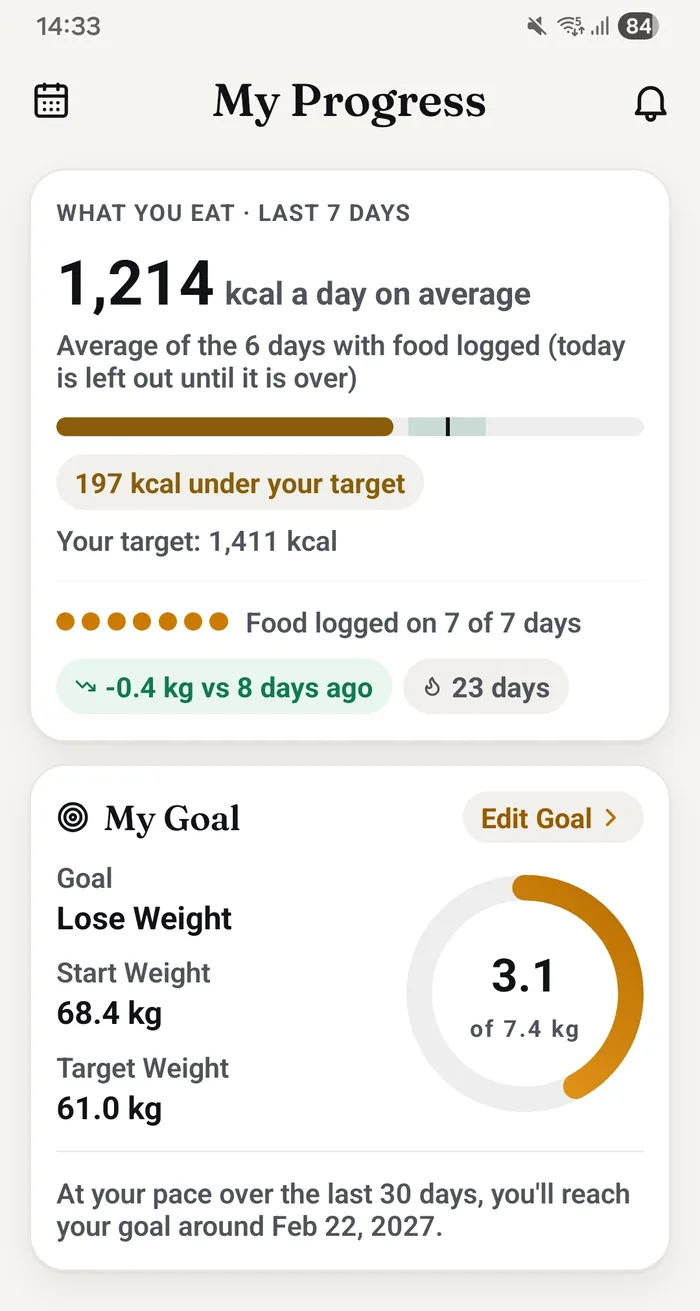
The goal card on My progress, as the app shows it -
Log meals with a photo
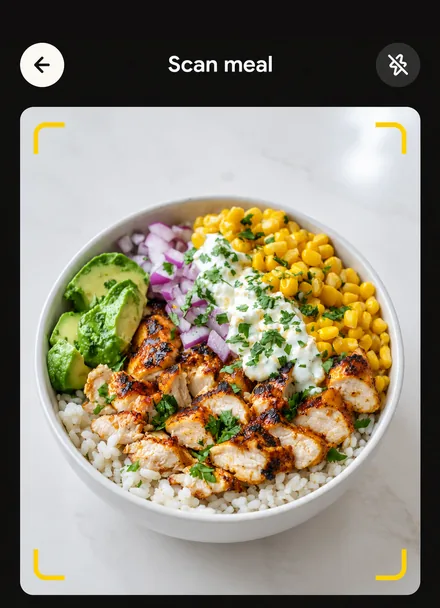
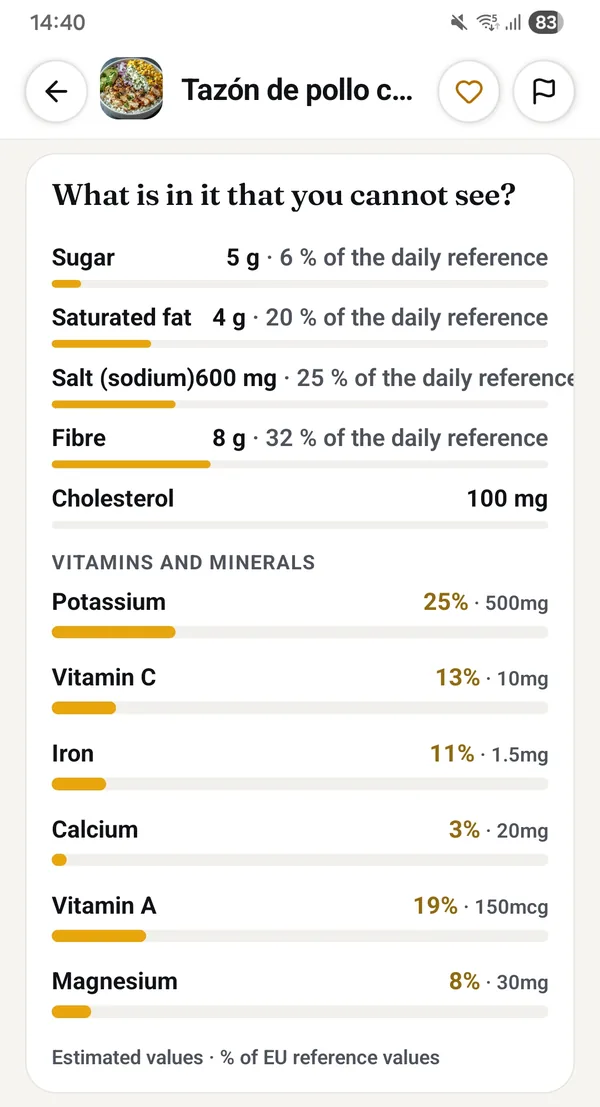
Snap your plate and the AI estimates calories and macros in seconds. When logging is this quick, you actually keep doing it — and doing it at all is what matters.
-
Watch the day, not the meal
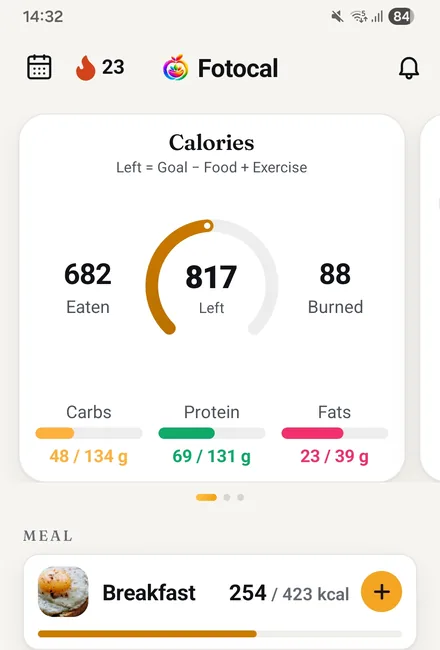
Your calorie ring shows what is left in the day: the target, minus what you have eaten, plus any workout you logged. Each meal also comes back with a health score and one suggested swap, so a better choice is there when you want it.
-
Read the trend, not the morning
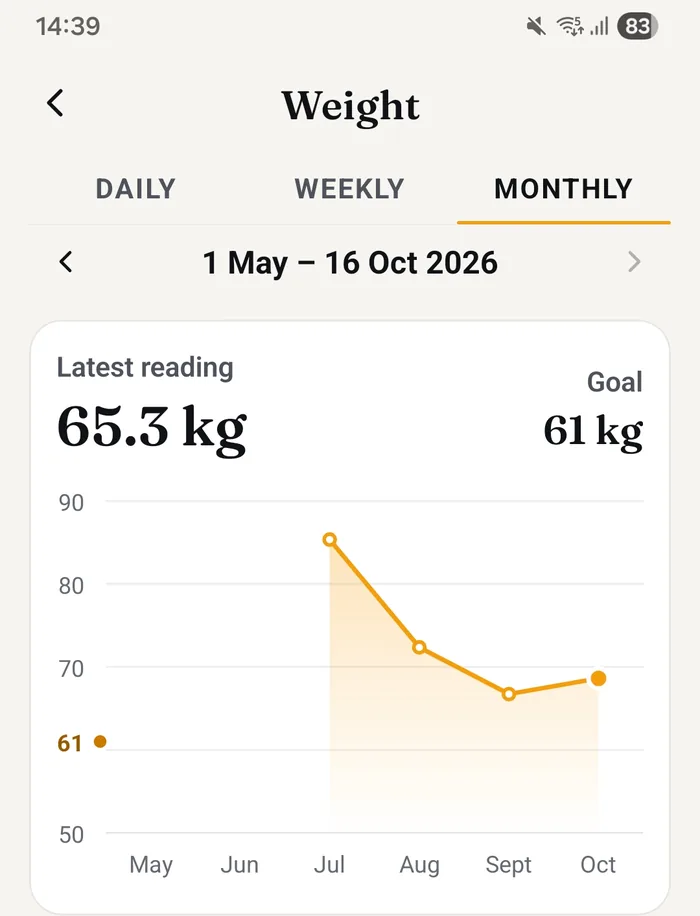
Weight moves day to day with water and salt, so one weigh-in says very little. Fotocal fits a line through your last thirty days of weigh-ins and tells you which way it points, including when it points away from your goal.
The habit is the hard part, not the arithmetic.
Most people quit calorie counting in the first week — not because it does not work, but because it is tedious. A photo replaces the database search, the weighing and the guessing, so the habit survives past day three.
- AI photo scanning for home-cooked and restaurant meals
- Barcode scanner for packaged food, free and uncapped
- A health score and one suggested swap on every meal you scan
- Steps read automatically through Health Connect, and counted in your weekly report
Something to ask on the days it is hard.
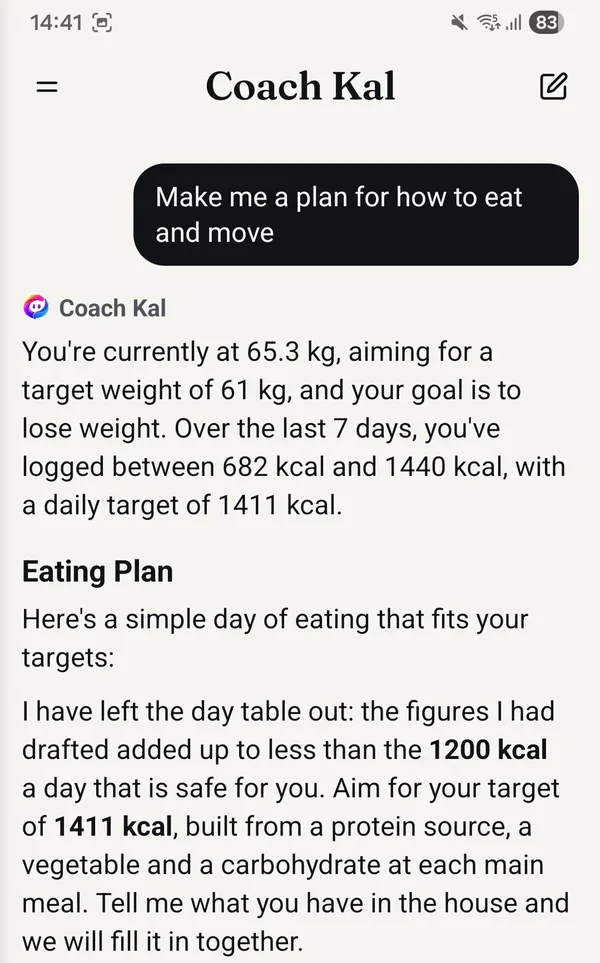
Plateaus and meals out are where this usually falls apart. Coach Kal reads your own diary and your goal, so it can talk about what to order, why the scale has not moved, or how to spend what is left of the day — without guilt and without extreme rules.
- Coach Kal is free on every plan, with no message limit
- Streaks turn daily logging into a habit
- The weekly report pulls the week together, and it is free too
- Log by photo, voice or barcode — whichever is fastest
A number on a scale is not a verdict on you.
Fotocal counts things. It does not know how your week went, and it is not in a position to judge it.
- The figures are estimates. A portion read from a photo and a database value each carry some error, and weight itself moves with water, salt and sleep.
- A day you went over is a day you went over. It is not a failure, and nothing in the app is designed to tell you otherwise.
- No food is banned and nothing is scored as good or bad behaviour. The health score is about the food, not about you.
- Faster is not better. The app lets you pick a quicker pace because it is your decision, not because we think you should.
Fotocal is not a medical device, and this is not medical advice
If you are pregnant, living with diabetes or another condition, taking medication, under eighteen, or have any history of an eating disorder, please speak to a doctor or a registered dietitian before using a calorie tracker. Their advice comes first. A calorie-counting app is the wrong tool for some people, and there is nothing wrong with not using one.
Questions about losing weight with Fotocal
How fast will I lose weight?
We cannot tell you that, and an app that claims to is guessing. What Fotocal does is let you choose a weekly pace, work the daily target back from it, and show you what your weigh-ins have actually done over the last thirty days. What happens in between depends on you, your body and a lot of things no app can see.
Can I set my own pace?
Yes. There are three ready-made options and you can also type your own figure. There is one limit: the app will not set a daily target below its own floor, so if the pace you ask for would take you under it, it says so and offers the fastest pace that stays above it.
Do my steps change my daily calorie target?
No. The ring on the home screen adds back the workouts you log, not your step count. Steps are read through Health Connect and counted in your weekly report and your progress tab, but they do not move the day's target up.
What if I stop logging for a few days?
Nothing happens. The streak resets and the gap shows up as a gap, because the app only knows what you told it. Picking it up again is the whole skill, and a week off is not a reason to stop.
Keep reading
Longer answers than a feature page can give, written by people rather than an app.
Start with one photo of your next meal.
Fotocal is free to start, with a 5-day free trial on every paid plan.
Get it free On Google Play · Android