Calories from a photo, free: point the camera, get the whole plate.
One photograph is the entire input. Fotocal identifies the dish and the ingredients in it, estimates how much is on the plate, and hands back calories, macros, a health score, any allergens it can see, a short summary from your coach and one realistic swap. Premium opens the panel underneath that: the full micronutrient list, how processed the food is and its glycemic load. Nothing is saved until you say so. Free and no card: 2 AI scans a day; Premium makes them unlimited.
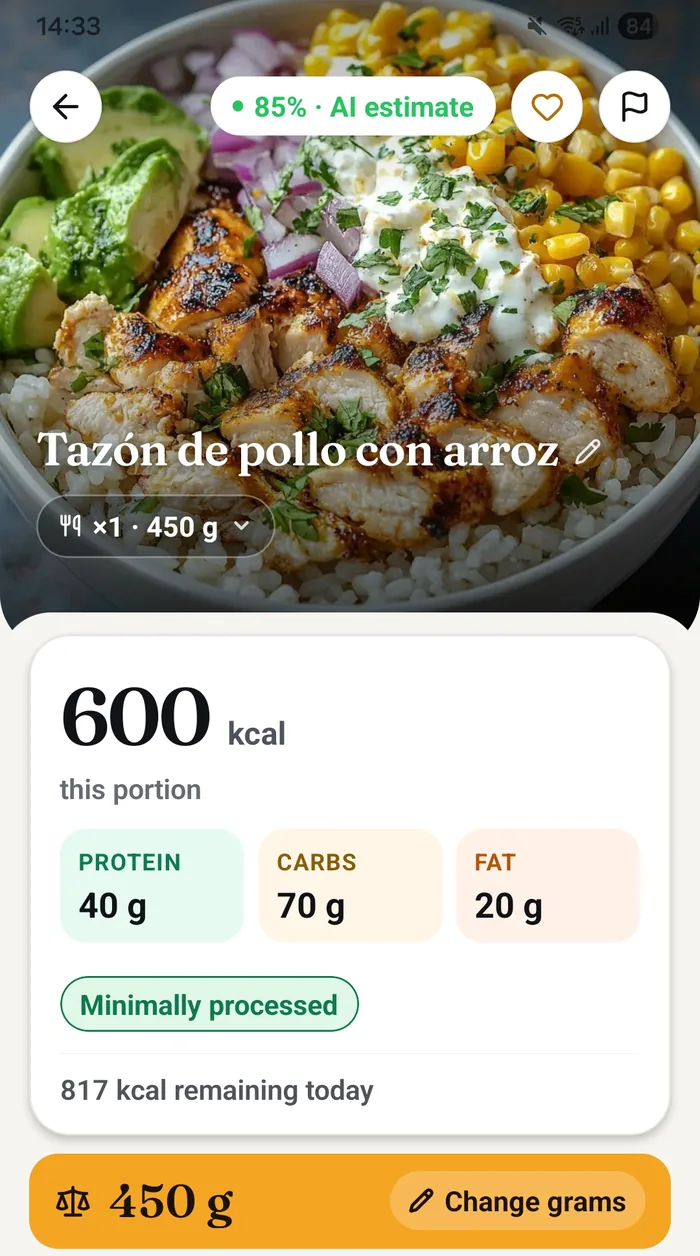
A photo in, a full picture out.
Home-cooked, restaurant, takeaway or last night's leftovers — the input is always the same, and so is the effort.
-
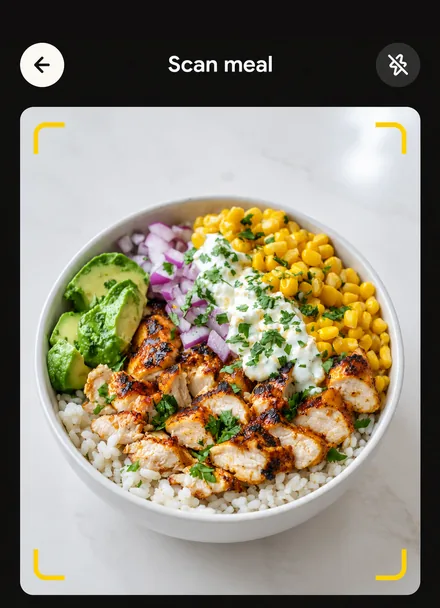
Photograph the plate
Whatever is in front of you, however it was made. No good lighting required, no arranging the food, no reference coin next to the bowl.
-
The AI reads it
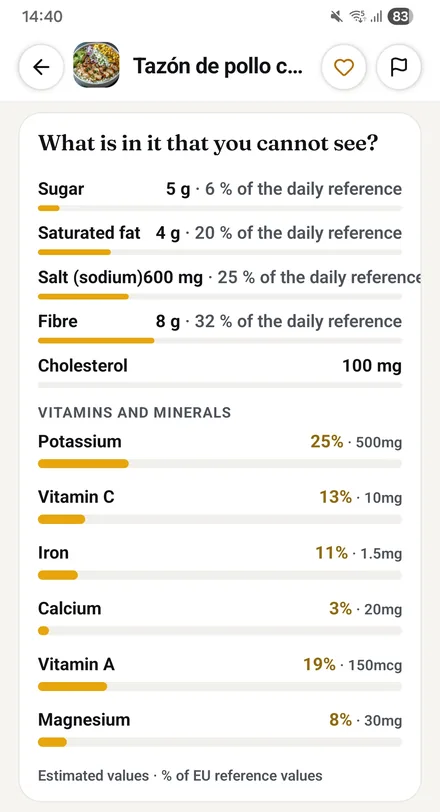
It identifies the dish, separates out the ingredients it can see, and estimates the portion from what is on the plate.
-
Fix the amounts
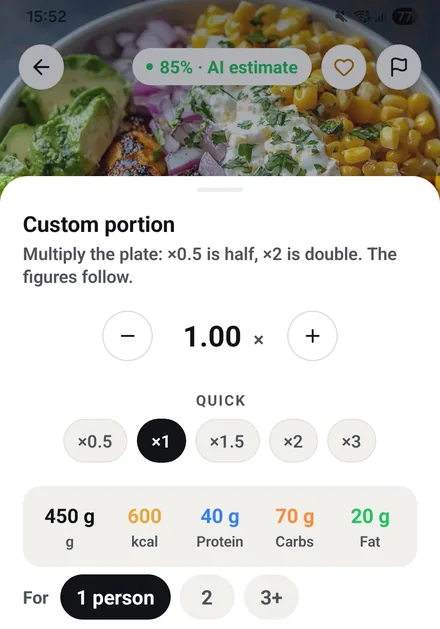
The estimate is a starting point, not a verdict. The portion sheet multiplies the whole plate, ×0.5 for half, ×2 for double, or splits it between two or three people, and the grams, calories and macros follow. Each detected ingredient can also be edited on its own.
-
Correct anything, then save
Every detected ingredient can be edited, swapped or removed, and you can add what the camera could not see. It is a draft until you save it.
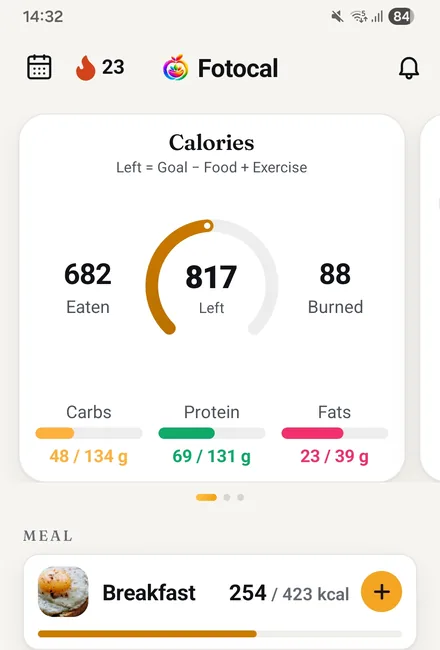
Nine things, from one photograph.
Most trackers stop at a calorie count. The useful part is usually everything after it.
-
The dish and its ingredients
Named individually rather than as one blob, so you can see what it thinks it is looking at.
-
Amounts per ingredient
Read from the plate rather than assumed from an average serving — and each one can be changed, in grams or in units, with minus and plus.
-
Calories and macros
The headline figure plus the protein, carb and fat split behind it.
-
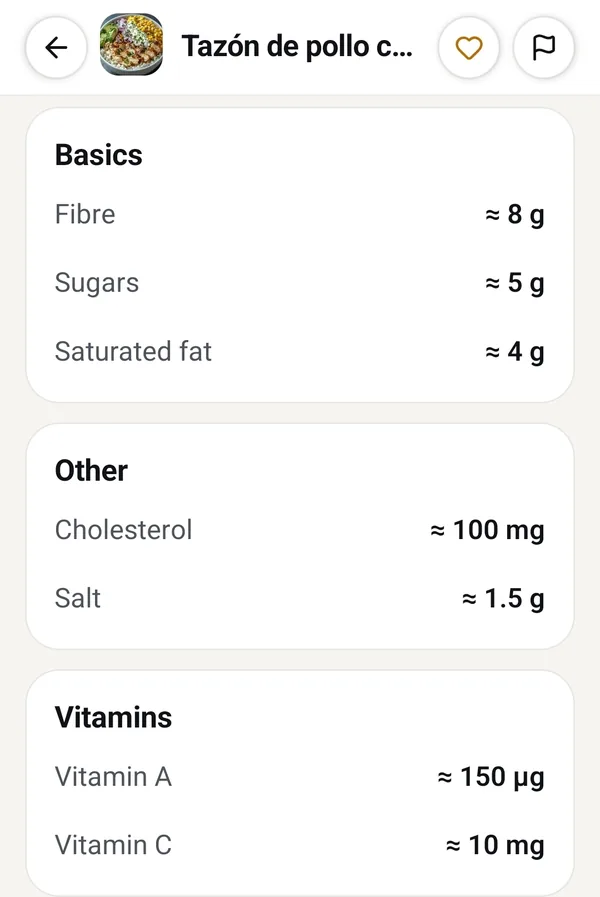
Two micronutrients free, the rest with Premium
Every scan reads the full list. The free plan shows the first two, and Premium opens the rest along with fibre, sugar, sodium and saturated fat.
-
A health score
One number for how the meal stacks up overall, so you can compare two dishes without reading two tables.
-
NOVA processing level
How processed the food is — a genuinely different question from how many calories it holds, and one that matters over months.
-
Glycemic load
How much this particular portion is likely to move your blood sugar, based on the amount actually in front of you.
-
Allergens
Flagged from the ingredients it detects, so a shared or unfamiliar dish is not a guess.
-
A coach summary and one swap
A plain-language read on the meal, plus a single specific change that would improve it — not a lecture, one suggestion.
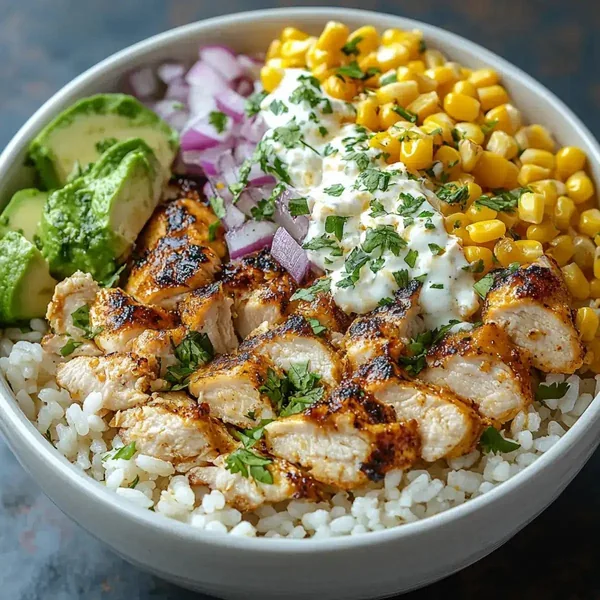
The restaurant plate you cannot look up
No barcode, no label, and no real idea what the kitchen put in it. One photo returns the calories, the score and one specific swap for next time — before the plate has gone cold.
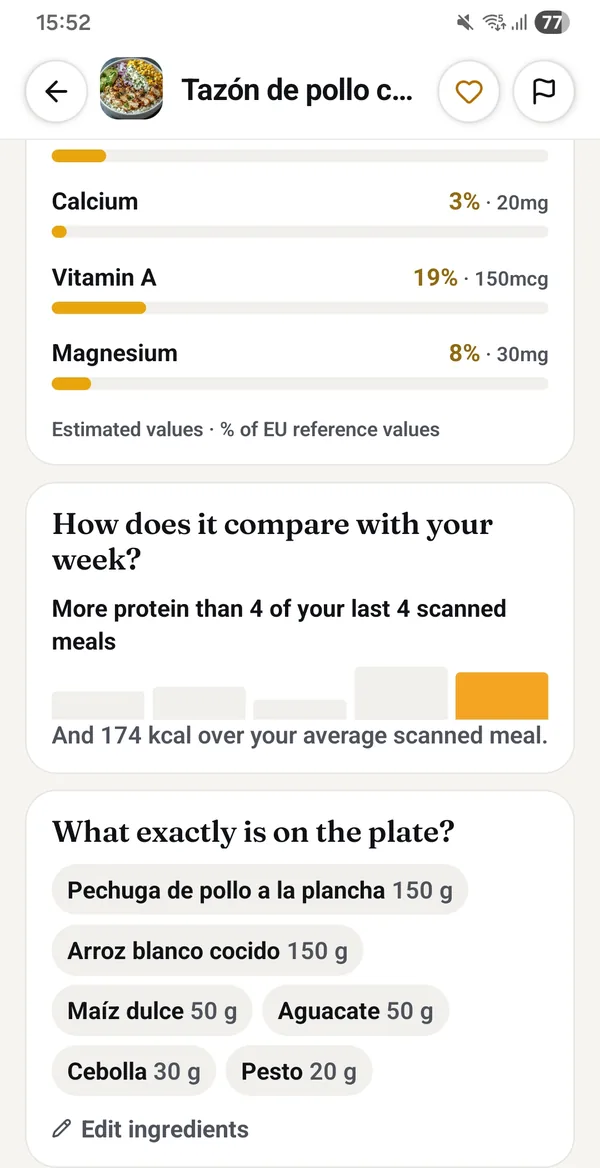
The result knows what else you scanned this week.
Under the nutrients, each scan is set against your own recent meals: more or less protein than your last scanned plates, and how many calories over or under your average scanned meal. Then the exact ingredients it found, each with its grams, ready to edit.
- Your targets come first: the same meal gets different advice if you are cutting, maintaining or building.
- It reads the rest of the day. If you are already short on protein at 8pm, the swap will be about protein.
- It suggests one change, not a rewrite. Something you could realistically do next time, phrased as a choice rather than a rule.
- Everything you scan feeds the Recommendations tab and your Weekly Report, so the advice gets more specific the longer you log.
Questions about photo scanning
How accurate is a photo estimate?
It is an estimate, and we would rather say so than pretend otherwise. For everyday tracking it is close enough to be useful, and correcting the grams of the main ingredient closes most of the remaining gap. If a meal really matters, weigh the main component and adjust.
What if it gets an ingredient wrong?
Fix it. Every detected item is editable before you save — change it, adjust its grams, replace it, delete it, or add something it missed. Corrections take a couple of seconds and the totals update as you go.
Does it work on restaurant and mixed dishes?
Yes, and that is where it earns its keep. A curry, a stir-fry or a plate of tapas has no barcode and no label, which is exactly the situation database-search apps handle worst.
Is anything logged automatically?
No. A scan produces a draft. Nothing enters your diary, your rings or your totals until you tap save.
Which is the best app for counting calories with photos?
Judge it on four things, not on the demo video: whether it recognises the food you eat, how clearly it says when it is estimating, how fast you can fix grams and ingredients before saving, and what the free plan allows. Fotocal labels every result as an AI estimate with its confidence, lets you change the portion and the ingredients, knows the Spanish dishes, and gives 2 photo scans a day free without a card. Whether that makes it the best for you depends on how often you scan.
Which is the best AI for counting calories?
None of them is right every time, so the best one is the one that shows its work. A photo tells the model what is on the plate but not how much oil went in or how thick the slice is, so every honest app is estimating. What separates them is whether the estimate carries a confidence, whether you can correct it in two taps, and whether it keeps your own history to compare against. Fotocal does the three, and it tells you how sure it is on each result.
Keep reading
The thinking behind the numbers on the screen.
Photograph your next meal and see the whole thing.
Fotocal is free to start, with a 5-day free trial on the paid plans.
Get it free On Google Play · Android