The AI nutrition coach that has already read your diary.
Coach Kal is the AI assistant built into Fotocal. It answers in plain language using what you have actually logged — your meals, your macros, your water, your weight and the goal you set — so the advice is about your week rather than a general idea of healthy eating. This page explains what it can see, what it cannot, and where it should not be trusted.
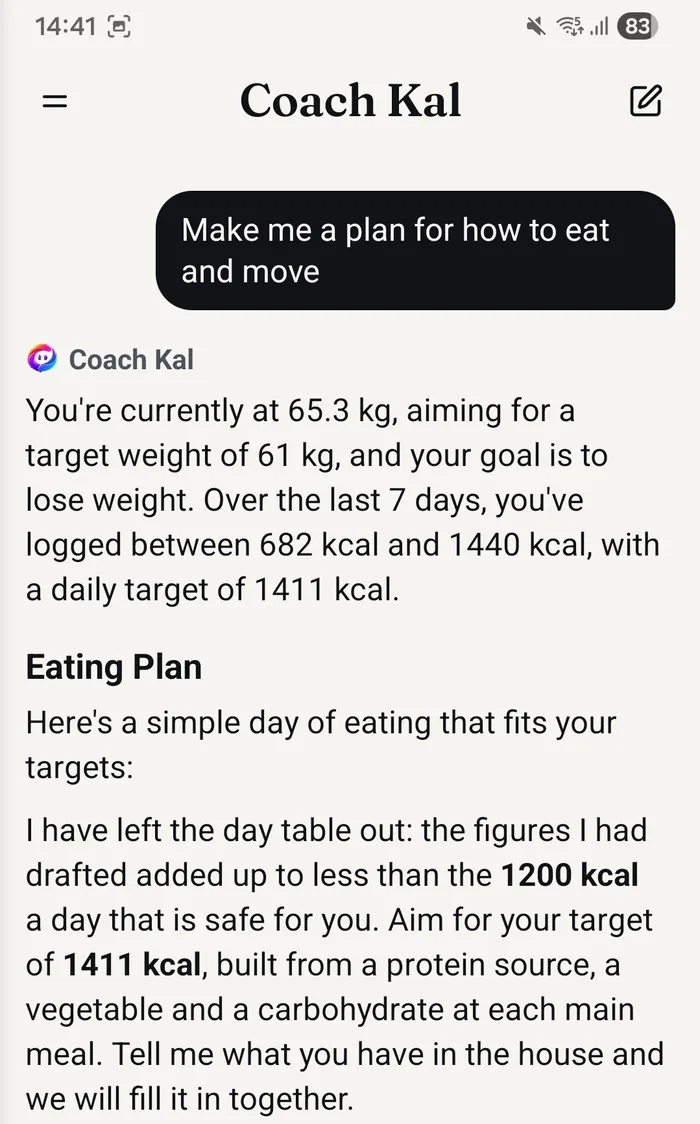
An assistant that already knows your numbers.
Not a search engine with a friendly voice. Kal answers from your own diary, and that is what makes the answers worth anything.
-
It reads your own data
Every answer is built from the meals, nutrition, water, weight and goal already in your Fotocal account. Ask about your week and it looks at your week.
-
It replies in your language
Spanish and English. Ask in whichever one you think in and the answer comes back in the same one.
-
It is free, with no message limit
Coach Kal is not a Premium feature and never has been. Ask as much as you like on the free plan — there is no cap and no trial.
-
It suggests, it does not act
Nothing Kal says changes anything in your diary. It explains and recommends; what gets logged, edited or deleted stays entirely your decision.
What it can see, and what it cannot.
The short version: your Fotocal data, and nothing else on your phone.
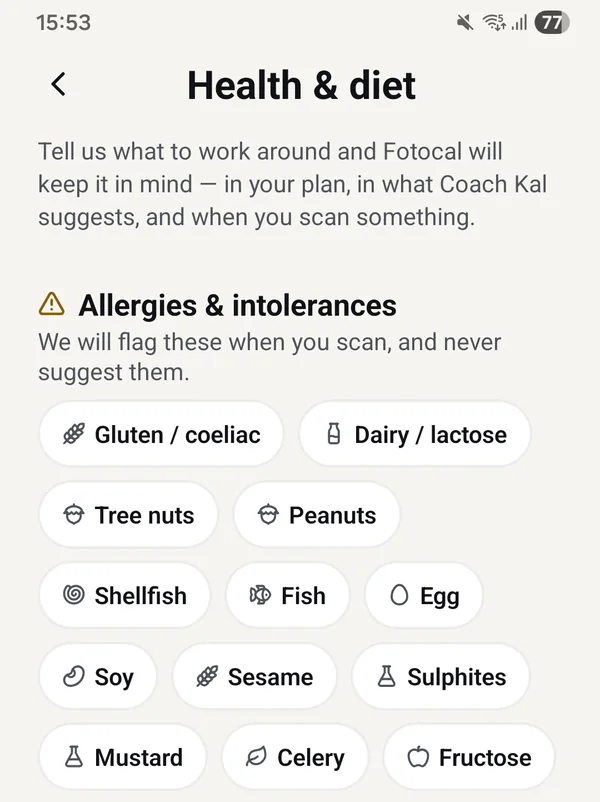
What Coach Kal can see
- The meals you have logged — the dishes, the ingredients and the portions.
- The nutrition behind them: calories, macros and micronutrients.
- Your water intake and your weight entries, as you record them.
- Your goal and the targets that go with it — losing, maintaining or gaining.
- The allergies and the way of eating you have chosen to share in your profile.
What it cannot see
- Anything else on your device — not your photo library, not your files, not your other apps.
- Your contacts, your messages, your calendar or your location.
- Anything you have not logged or told it. If a meal never made it into your diary, Kal does not know you ate it.
- Any other person's account. The conversation is about your data only.
Your allergies and your way of eating are optional. Leave them blank and Kal simply works without them, and you can add or remove them at any time from your profile. What is stored, why, and how to delete it is set out in full in the privacy policy.
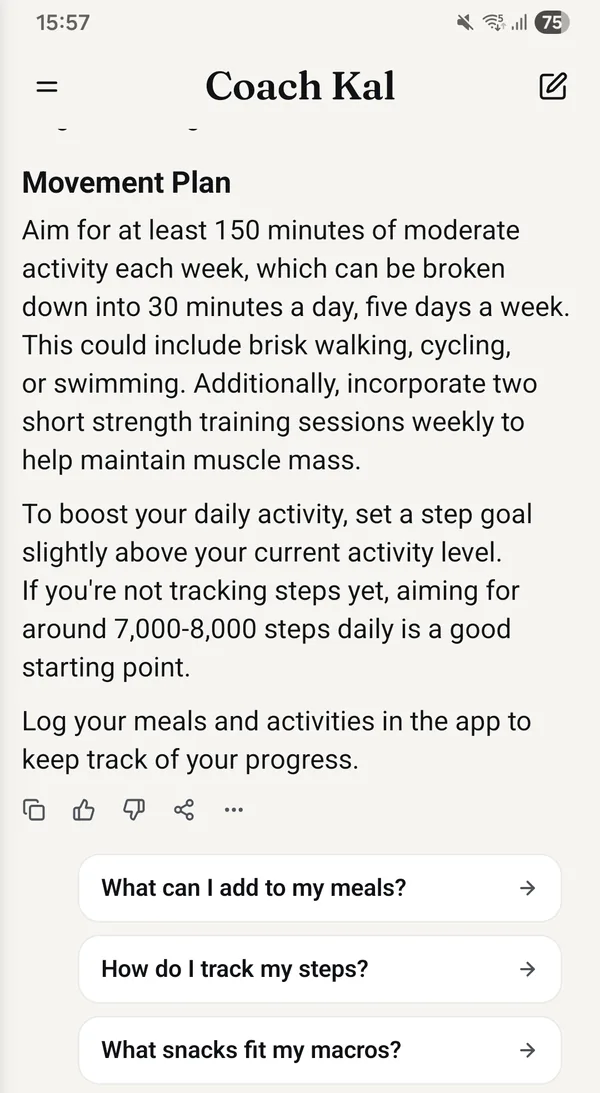
Where Coach Kal can be wrong.
Coach Kal is an AI language model. It produces estimates and fluent, plausible-sounding answers — and plausible is not the same thing as correct. The app says so behind the three dots on every answer, and this is the longer version.
- The nutrition figures are estimates. A portion read from a photo, a database value and Kal's own arithmetic each carry some error, and it adds up.
- It can be confidently wrong. A wrong answer does not sound any different from a right one, so treat anything surprising as a reason to check rather than a fact.
- It only knows what has been logged. Gaps in your diary become gaps in its reasoning, and it cannot tell a day you ate little from a day you forgot to record.
- It gives general nutrition guidance. It is not a plan built around your body, your bloodwork or your medication.
Coach Kal is not medical advice
Fotocal is not a medical device and Coach Kal is not a clinician. Nothing it says should be used to diagnose, treat or manage a health condition, and nothing it says should be used to decide anything about medication.
If you are pregnant, living with diabetes or another condition, taking medication, recovering from an eating disorder, or making a significant change to how you eat, speak to a doctor or a registered dietitian first. Their advice comes ahead of Kal’s — it is not designed to replace them.
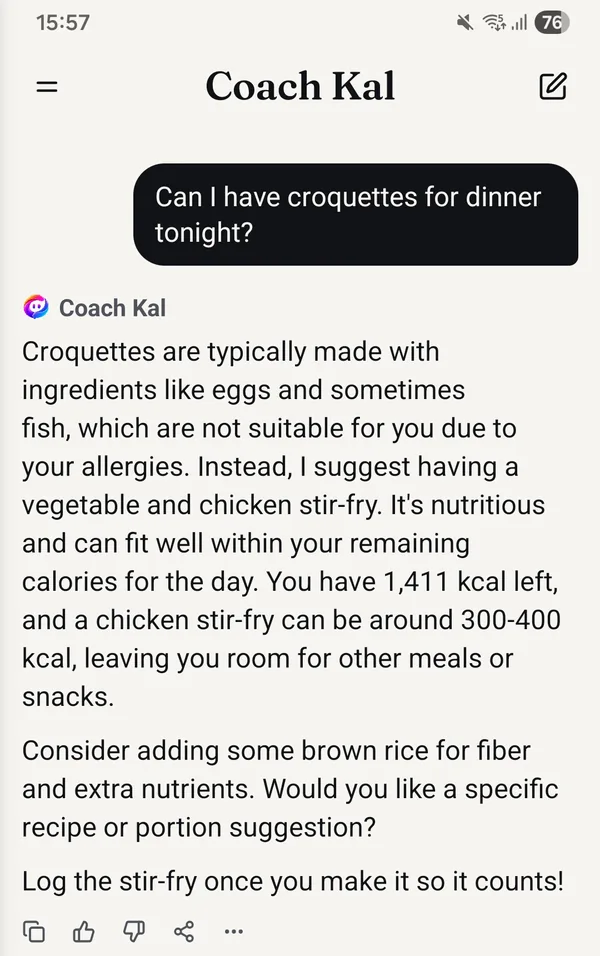
What you avoid is a hard limit, not a preference.
The allergies and dietary choices in your profile act as constraints on every suggestion Coach Kal makes. They are not hints it weighs up against how good an idea something otherwise seems.
- If you have entered an allergy, Kal is told to avoid recommending a food it identifies as containing it.
- A diet you have set — vegetarian, vegan, halal, gluten-free or anything else — shapes every recommendation, rather than being acknowledged once and then forgotten.
Read the label anyway
Kal works from what it can identify, and identification can be wrong. A mislabelled ingredient, an unfamiliar dish or a hidden trace will get past it. If an allergy of yours is serious, the packet and the person who cooked the food are the authority — not an app. Never rely on Coach Kal alone.
Specific questions get specific answers.
Kal is most useful when the question is about your actual day rather than nutrition in general.
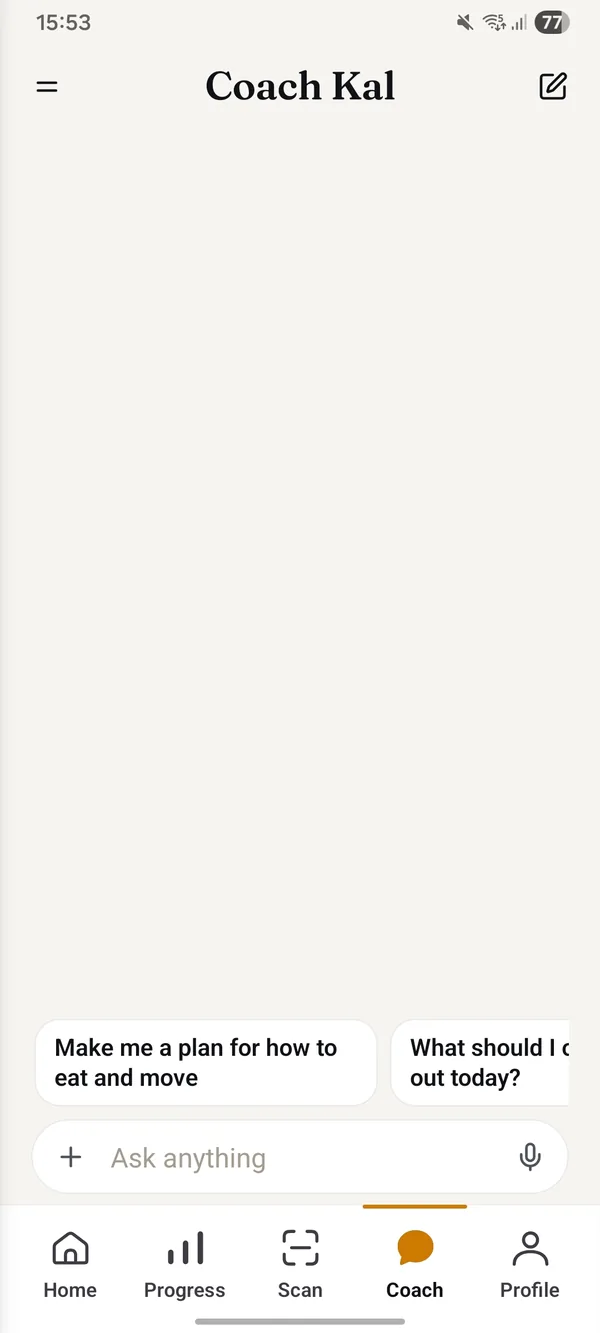
Open it before you have typed anything and it offers a row of starters: first a plan built from your own figures, then prompts that rotate with the time of day and with the calories and protein actually left in your day, not a list of stock phrases.
- Ask about today, not about nutrition in general — the answer is only as specific as the question.
- Follow-ups work. It keeps the thread, so “and if I skip the rice?” needs no setting up.
- You can ask in Spanish or English, and the answer comes back in the same one.
-
Log first, then ask
Kal answers from your diary, so the more of today that is in it, the more the answer is about today. A question asked before you have logged anything gets a general answer, because that is all there is to work with.
-
Ask follow-ups
It keeps the thread of the conversation. “Why?”, “something quicker” or “I don't have that in the house” will refine the last answer instead of starting again from nothing.
-
Say what you actually want
“Cheap”, “ready in ten minutes”, “nothing to cook”, “I'm eating out” — constraints make the suggestion usable. Without them you get the safe, obvious answer.
Questions about Coach Kal
Does Coach Kal cost anything?
No. It is unlimited on the free plan and always has been — not a trial, not a teaser, and there is no message cap. Premium removes the daily scan and voice counters and opens the deeper panels; it does not change Coach Kal.
Can it change or delete things in my diary?
No. Kal answers questions and makes suggestions. Logging a meal, editing a portion and deleting an entry are all things only you do.
What if I have barely logged anything?
You will still get an answer, but a general one — it can only reason about what is there. A few days of logging is usually the point where the answers start being about you rather than about nutrition in the abstract.
Can I talk to it in Spanish?
Yes. Coach Kal works in Spanish and English, and answers in whichever language you write in. Fotocal was built Spanish-first, so this is not a translation layer bolted on afterwards.
I have a health condition. Can I follow its advice?
Treat it as general information and check anything that matters with a professional who knows your history. Coach Kal is not a clinician, has no access to your medical records, and is not designed to manage a condition or a medication. If the two ever disagree, follow your doctor or dietitian.
Ask Coach Kal about your own day.
Free and unlimited on every plan, including the free one.
Get it free On Google Play · Android